Speedy Bolognese: Building a 20-Second Recipe Reel in Creative Studio
The real Creative Studio flow, start to finish: the chat that shaped this piece's audio, the timeline it built, the treatment the director wrote, and the prompts Produce made for a 20-second reel.
6 min read
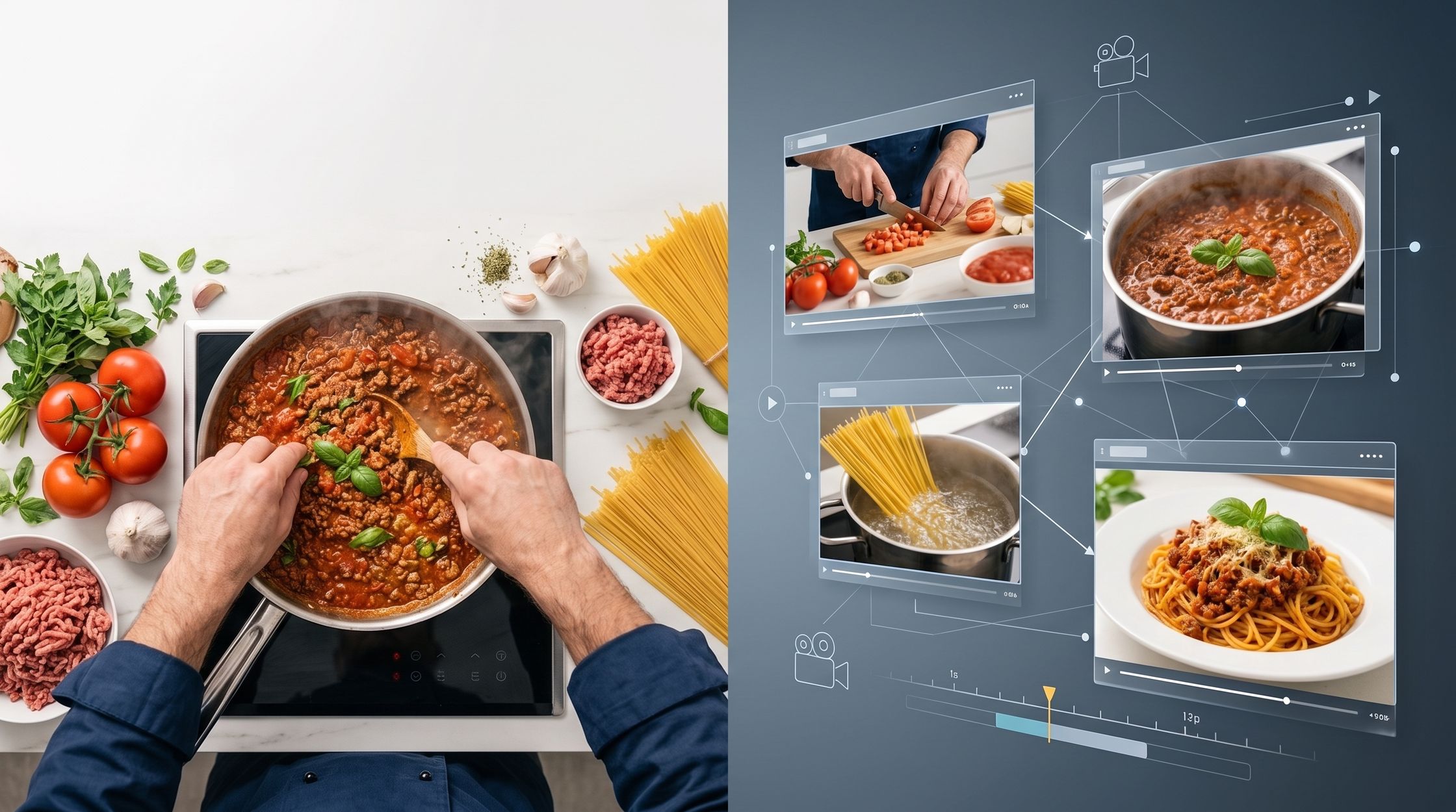
Every tutorial on this blog follows a real Creative Studio project end to end. This one is a 20-second recipe reel called “Speedy Bolognese” — two hands, a stovetop, no face ever on screen — and it's a good project for showing the actual pipeline, because nothing about it happened in one automatic step. Six real actions, in this order: chat, check the timeline, Send to the director, Review & edit, Produce, then paste the prompts in order. Here's exactly what happened at each one.
1. Chat with Vega
The brief was two sentences, typed as-is:
lets create a video for cocking spaghetti bolognese. i need it targetting facebook reels. makesure consistancy of cocking items and persion on every clips

make 2 of 10s clips.
The panel's first instinct was to keep it silent — Reels are often watched on mute, and the project's audio palette was still set to music only by default. It said so, out loud, before changing anything:
Great! It's fantastic to have your confirmation on the 20-second total duration, split into two 10-second segments, and the focus on consistency for the cooking items and the person. The panel has already accounted for this, making sure the structure is tight and visually driven for Facebook Reels.
Speaking of Reels, our Screenwriter and Sound Designer have pointed out that many viewers watch these videos without sound. With that in mind, and considering our current AUDIO PALETTE is set to music_only, we could really lean into the visual storytelling, letting the dynamic shots and upbeat music carry the entire experience. This would also streamline the process by removing the need to perfectly time and record a voiceover, allowing the visuals to speak for themselves.
What do you think about making this a purely visual and music-driven experience, without any spoken dialogue?
That wasn't what was wanted. The next message settled it in five words:
i need voiceover or dialogs ad which appriate
And the panel updated the plan accordingly:
Absolutely! You're right, for an instructional video like this, voiceover is an excellent choice to clearly guide the viewer.
The great news is our specialists have already drafted the voiceover for both shots. You'll see the lines for "The Cook" already listed in the plan for Shot #1 and Shot #2, crafted to fit perfectly within each moment's timing. This will be delivered by an off-screen narrator – an even, unhurried adult voice – which allows the on-screen cook to focus entirely on the actions, keeping the visuals super clean and focused.
To make sure this renders correctly, we just need to officially update the overall AUDIO PALETTE for the project from music_only to voiceover. This will tell the system to prioritize that clear instruction alongside the energetic background music.
Does switching the project's AUDIO PALETTE to voiceover sound good to you?
That exchange is the entire audio decision for this piece, made in chat before anything was sent anywhere — catching a wrong default and fixing it while it still costs nothing. (One nuance worth knowing: the panel talked about an “off-screen narrator,” but because The Cook is the only character in the piece, the system attributed the lines to The Cook directly as spoken dialogue rather than narration — the same rule that keeps a single-character piece from being mislabelled as narrated. It shows up below as “The Cook says…”, not “a narrator says…”.)
2. Check the timeline
Once the audio question was settled, the timeline showed exactly what would render: two 10-second clips, each already split into two shots, each shot with its own visual and — now — its own draft line. This is the same read-only Timeline panel from the Hashtag Aesthetic project, shaped through chat rather than a form:
| Clip | Shot | What happens | Draft line |
|---|---|---|---|
| 1 | 0–4s | Fresh, raw bolognese ingredients arranged for a mouth-watering close-up. | “Making the perfect spaghetti bolognese is easier than you think.” |
| 1 | 4–10s | Hands chop onion and garlic; the pan starts browning the meat. | “First, we prep our aromatics: fresh onion and garlic.” |
| 2 | 0–4s | Tomatoes and herbs go into the pan; spaghetti drops into boiling water. | “Now for the magic: tomatoes, herbs, and a secret touch – let it simmer to perfection.” |
| 2 | 4–10s | Spaghetti drains, combines with the sauce, gets plated and garnished. | “Combine with al dente spaghetti, and voilà! Your ultimate bolognese.” |
The timeline, as chat left it
Nothing needed reshaping here — two clips, ten seconds each, matched the brief exactly. Straight to Send to the director.
3. Send to the director
This is the step that turns a timeline into a production treatment: a locked cast, a shot-by-shot render plan, camera direction — and, for this piece, its own diagnosis of what's actually hard about it, before writing a word of the plan:
- Showing a multi-stage or simultaneous cooking action inside one continuous shot, with no cuts.
- Making tightly time-boxed instructional dialogue sound natural and enthusiastic when the script runs over the clip's time budget.
- Making food look mouth-watering with nothing but hands and ingredients — no sound effects, nobody tasting it on camera.
- Choreographing quick, skilled hand movements so they read as expert, not rushed.
With those named, it explained why the fix was two full-segment storyboard shots rather than four separate 4–6 second clips:
The brief emphasizes dynamic visual engagement and a fast-paced instructional guide for social media, with a requirement for voiceover. This structure delivers two comprehensive storyboard shots, each fulfilling an entire 10-second timeline segment. This allows complex, multi-moment actions to unfold fluidly within fixed durations, ensuring the recipe steps are clear and appetizing through engaging visual storytelling and clear vocal guidance.
The video model still has no voice ID — nothing that recognizes a voice across cuts — so the one character's voice gets pinned as a fixed description and repeated verbatim in both shots. With only one speaker in the whole piece, this pin carries the entire piece's audio identity:
| Character | Voice pin |
|---|---|
| The Cook | Warm, inviting, clear, medium pace, North American (General) |
Voice pin — repeated verbatim in every shot
4. Review & edit — Validate
The treatment doesn't render on approval — it lands on a Review & edit screen, and every change there re-runs the same checks for free, no model call. Creative Studio budgets spoken word count at roughly 2.2 words per second of clip, so a 10-second shot gets about 22 words to work with. Both shots here landed at exactly 22 — the script was on budget on the first pass, so there was nothing to fix. Most pieces validate clean like this; the point of the free check is that if one hadn't, this is where it would still cost nothing to correct.
5. Produce
Only pressing Produce turns the approved treatment into something pasteable. Two things happen in order: a locked reference sheet for the one character in this piece, then the two shots' storyboard boards and full render prompts.
The cast: a pair of hands
There's no face in this piece by design — the treatment marks The Cook as showing only hands. The reference sheet still gets generated the same way a fully-visible character's would, so the video model has something consistent to match hands, sleeves and wardrobe against across both clips:
Reference definitions
- Voice
- Warm, inviting, clear, medium pace, North American (General)
- Wardrobe
- Practical cooking attire, such as a chef's jacket or apron.
- On screen
- Only hands are visible for on-screen actions.
- Signature detail
- Focus on clean, unadorned hands with practical sleeves.
Photorealistic live-action footage, real optics and natural imperfections. Character reference sheet for The Cook, Chef demonstrating the recipe. any, adult, any, any, any, Only hands are visible for on-screen actions., Practical cooking attire, such as a chef's jacket or apron., Focus on clean, unadorned hands with practical sleeves.. Four views of the SAME person side by side on a plain neutral grey backdrop: full-body front, full-body back, full-body side profile, and a head-and-shoulders face close-up. Identical wardrobe, hair and proportions in every view. Even, neutral lighting. No text, no labels, no props, no background scenery.
Shot 1 — prep
Ingredients laid out, then the first cut of the knife.
Reference definitions
- Cast
- The Cook
- Panels
- 0–4s, 4–10s
Technical
- Aspect ratio
- 9:16
- Layout
- 2-panel grid, panel number + time range labelled only
- Image engine
- Nano Banana
A clean storyboard board: 2 equal-size photographic frames arranged in a tidy grid, read left-to-right then top-to-bottom, frames sitting edge to edge. Label each frame with ONLY its panel number in the top-left corner and its time range in the top-right corner. NO captions, NO shot descriptions, NO camera notes, NO subtitles, NO overlay text and NO logos anywhere in or under any frame — only the photographic image plus those two small labels.

Photorealistic live-action footage, real optics and natural imperfections.

Consistent look across every frame: Bright, natural, and warm lighting accentuating food textures and vibrant colors. Dynamic close-ups focusing on precise, skilled hand movements and the mesmerizing transformation of ingredients. The setting is a modern, clean kitchen environment, with a rich palette of reds, earthy browns, vibrant greens, and golden yellows to make the food pop.

Use the supplied character reference sheet(s) for The Cook (REF_cook); the same face, hair, build and wardrobe in every frame.

SHOT 1 — 0-4s
Vibrant, mouth-watering close-up of fresh, raw spaghetti bolognese ingredients: ripe tomatoes, fresh basil, garlic cloves, a block of Parmesan, raw minced meat, and dry spaghetti arranged enticingly..
Locked-off sticks, slow push-in, macro lens. camera slowly pushes in, gently racking focus from the dry spaghetti in the foreground to the ripe tomatoes and minced meat in the mid-ground, emphasizing the texture and freshness of each element.

SHOT 2 — 4-10s
Quick, skilled hands begin prep: rapidly chopping onions and garlic on a wooden board. Then, a pan on a stovetop with minced meat browning, sizzling invitingly..
Slider, smooth pan-right and tilt-down, rack focus. starting on the cook's hands chopping ingredients, the camera executes a fluid, controlled slider movement to the right and a slight tilt down. simultaneously, it racks focus from the chopping board to the browning minced meat in the pan, ensuring both actions are clear and visually appealing. the movement ends with the pan filling the frame.

Every frame is composed in 9:16, photographic (no illustration, no hand-drawn look), with consistent characters, wardrobe, colour palette and lighting throughout.
This is the image that gets animated in the next prompt — every ingredient, hand and background in the final clip traces back to this board, not to the video prompt's text.
Reference definitions
- Cast
- The Cook
- Panels
- 0–4s, 4–10s
- Location
- Modern kitchen countertop, clean and well-lit.
Technical
- Aspect ratio
- 9:16
- Duration
- 10 seconds
- Render mode
- storyboard — 2 panels animated as ONE continuous clip
- Video engine
- Kling
Animate this storyboard board into a single seamless clip, moving through its panels in order over the full duration. Maintain the exact visual style, characters, colours and composition of the board — do not redesign anything. Motion and camera moves flow naturally from one panel to the next; it is ONE continuous clip that travels through every scene on the board, with no panel borders, gutters or grid visible in the output.

The motion runs panel 1 (0-4s): Vibrant, mouth-watering close-up of fresh, raw spaghetti bolognese ingredients: ripe tomatoes, fresh basil, garlic cloves, a block of Parmesan, raw minced meat, and dry spaghetti arranged enticingly., LOCKED-OFF STICKS / SLOW PUSH-IN / MACRO LENS. Camera slowly pushes in, gently racking focus from the dry spaghetti in the foreground to the ripe tomatoes and minced meat in the mid-ground, emphasizing the texture and freshness of each element.; then panel 2 (4-10s): Quick, skilled hands begin prep: rapidly chopping onions and garlic on a wooden board. Then, a pan on a stovetop with minced meat browning, sizzling invitingly., SLIDER / SMOOTH PAN-RIGHT AND TILT-DOWN / RACK FOCUS. Starting on The Cook's hands chopping ingredients, the camera executes a fluid, controlled slider movement to the right and a slight tilt down. Simultaneously, it racks focus from the chopping board to the browning minced meat in the pan, ensuring both actions are clear and visually appealing. The movement ends with the pan filling the frame..

Character reference: the people are the ones in the supplied reference sheet(s) for The Cook (REF_cook) — keep them identical to their sheet and to the board.

Voice casting — fixed for the whole piece, identical in every shot: The Cook (the person in Practical cooking attire, such as a chef's jacket or apron): Warm, inviting, clear, medium pace, North American (General).

Spoken on the panels, in order: At 0-4s, The Cook (the person in Practical cooking attire, such as a chef's jacket or apron) says, "Perfect spaghetti bolognese? Easier than you think." — only The Cook's lips move. At 4-10s, The Cook (the person in Practical cooking attire, such as a chef's jacket or apron) says, "First, we'll quickly prep our essential aromatics: fresh onion and garlic, building our flavor." — only The Cook's lips move. Spoken dialogue only, exactly as written and only from the named speakers. No narration, no voiceover.

Every person on screen who isn't the named speaker keeps their lips closed and still.

Rendering constraints: Clean, unmarked frame — no watermarks, no captions, no subtitles, no UI overlay. Surfaces and signage stay free of lettering. Anatomy stays natural and consistent: hands with five fingers, stable facial features, limbs that hold their proportions through the move. Solid objects — furniture, walls, props — are impenetrable: people move around them, never through them, and every contact carries natural weight. Objects stay put unless someone deliberately moves them. Gravity behaves normally and camera moves stay smooth and coherent.

Aspect ratio 9:16. Duration 10 seconds. Ends on a cut.
REF_cook points back at the reference sheet above — the render pulls hands, wardrobe and skin tone from that sheet, not from the text describing them.
Shot 2 — simmer to plate
Sauce comes together while the pasta cooks alongside it, then it all lands on a plate.
Reference definitions
- Cast
- The Cook
- Panels
- 0–4s, 4–10s
Technical
- Aspect ratio
- 9:16
- Layout
- 2-panel grid, panel number + time range labelled only
- Image engine
- Nano Banana
A clean storyboard board: 2 equal-size photographic frames arranged in a tidy grid, read left-to-right then top-to-bottom, frames sitting edge to edge. Label each frame with ONLY its panel number in the top-left corner and its time range in the top-right corner. NO captions, NO shot descriptions, NO camera notes, NO subtitles, NO overlay text and NO logos anywhere in or under any frame — only the photographic image plus those two small labels.

Photorealistic live-action footage, real optics and natural imperfections.

Consistent look across every frame: Bright, natural, and warm lighting accentuating food textures and vibrant colors. Dynamic close-ups focusing on precise, skilled hand movements and the mesmerizing transformation of ingredients. The setting is a modern, clean kitchen environment, with a rich palette of reds, earthy browns, vibrant greens, and golden yellows to make the food pop.

Use the supplied character reference sheet(s) for The Cook (REF_cook); the same face, hair, build and wardrobe in every frame.

SHOT 1 — 0-4s
Hands pour crushed tomatoes, oregano, and basil into the browning meat, stirring to combine. A dynamic split-screen simultaneously shows spaghetti being plunged into a pot of boiling water..
Gimbal tracking the cook's hands as they pour ingredients into the bolognese pan, then a subtle push-in and slight outward pan to frame the stirring action with shallow . the split-screen element is a visual composition, not a singular camera move.

SHOT 2 — 4-10s
Spaghetti is drained and immediately combined with the rich bolognese sauce in the pan. A portion is then skillfully plated, garnished with fresh basil and grated Parmesan. This leads into a final, close-up, irresistible shot of the complete dish..
Gimbal executes a smooth lateral track from the pasta draining, then a fluid push-in and slight arc to frame the hands combining pasta and sauce in the pan. this transitions to a precise track of the hands plating and garnishing on the counter, concluding with a slow, controlled push-in into an extremely tight, static close-up of the complete dish, utilizing careful rack focus to highlight textures.

Every frame is composed in 9:16, photographic (no illustration, no hand-drawn look), with consistent characters, wardrobe, colour palette and lighting throughout.
Reference definitions
- Cast
- The Cook
- Panels
- 0–4s, 4–10s
- Location
- Modern kitchen stovetop and counter.
Technical
- Aspect ratio
- 9:16
- Duration
- 10 seconds
- Render mode
- storyboard — 2 panels animated as ONE continuous clip
- Video engine
- Kling
Animate this storyboard board into a single seamless clip, moving through its panels in order over the full duration. Maintain the exact visual style, characters, colours and composition of the board — do not redesign anything. Motion and camera moves flow naturally from one panel to the next; it is ONE continuous clip that travels through every scene on the board, with no panel borders, gutters or grid visible in the output.

The motion runs panel 1 (0-4s): Hands pour crushed tomatoes, oregano, and basil into the browning meat, stirring to combine. A dynamic split-screen simultaneously shows spaghetti being plunged into a pot of boiling water., Gimbal tracking the cook's hands as they pour ingredients into the bolognese pan, then a subtle push-in and slight outward pan to frame the stirring action with shallow depth of field. The split-screen element is a visual composition, not a singular camera move.; then panel 2 (4-10s): Spaghetti is drained and immediately combined with the rich bolognese sauce in the pan. A portion is then skillfully plated, garnished with fresh basil and grated Parmesan. This leads into a final, close-up, irresistible shot of the complete dish., Gimbal executes a smooth lateral track from the pasta draining, then a fluid push-in and slight arc to frame the hands combining pasta and sauce in the pan. This transitions to a precise track of the hands plating and garnishing on the counter, concluding with a slow, controlled push-in into an extremely tight, static close-up of the complete dish, utilizing careful rack focus to highlight textures..

Character reference: the people are the ones in the supplied reference sheet(s) for The Cook (REF_cook) — keep them identical to their sheet and to the board.

Voice casting — fixed for the whole piece, identical in every shot: The Cook (the person in Practical cooking attire, such as a chef's jacket or apron): Warm, inviting, clear, medium pace, North American (General).

Spoken on the panels, in order: At 0-4s, The Cook (the person in Practical cooking attire, such as a chef's jacket or apron) says, "Next, tomatoes and herbs; simmer to perfection." — only The Cook's lips move. At 4-10s, The Cook (the person in Practical cooking attire, such as a chef's jacket or apron) says, "Combine with al dente spaghetti, and voilà! Your ultimate, satisfying bolognese is ready." — only The Cook's lips move. Spoken dialogue only, exactly as written and only from the named speakers. No narration, no voiceover.

Every person on screen who isn't the named speaker keeps their lips closed and still.

Rendering constraints: Clean, unmarked frame — no watermarks, no captions, no subtitles, no UI overlay. Surfaces and signage stay free of lettering. Anatomy stays natural and consistent: hands with five fingers, stable facial features, limbs that hold their proportions through the move. Solid objects — furniture, walls, props — are impenetrable: people move around them, never through them, and every contact carries natural weight. Objects stay put unless someone deliberately moves them. Gravity behaves normally and camera moves stay smooth and coherent.

Aspect ratio 9:16. Duration 10 seconds. Ends on a cut.
6. Follow the prompts in order
Same rule as any storyboard project: the storyboard image prompt goes into the image model first — Nano Banana, here — and the board it returns becomes the reference image for the matching video prompt in Kling. Shot 1's board and render prompt first, then shot 2's; paste them in that order and the two clips cut together the way the treatment planned them to.
Want prompts like these written for your own brief?
Paste your notes. PromptMotion writes the prompt.
Try it free